Personal finance, finally calm
Understand your money — and put it inside the AI you already use.
A clearer picture of your money, kept up to date in the background — no spreadsheets, no Sunday-night categorizing. Then point Claude or ChatGPT at it, and finally get answers grounded in your real numbers.
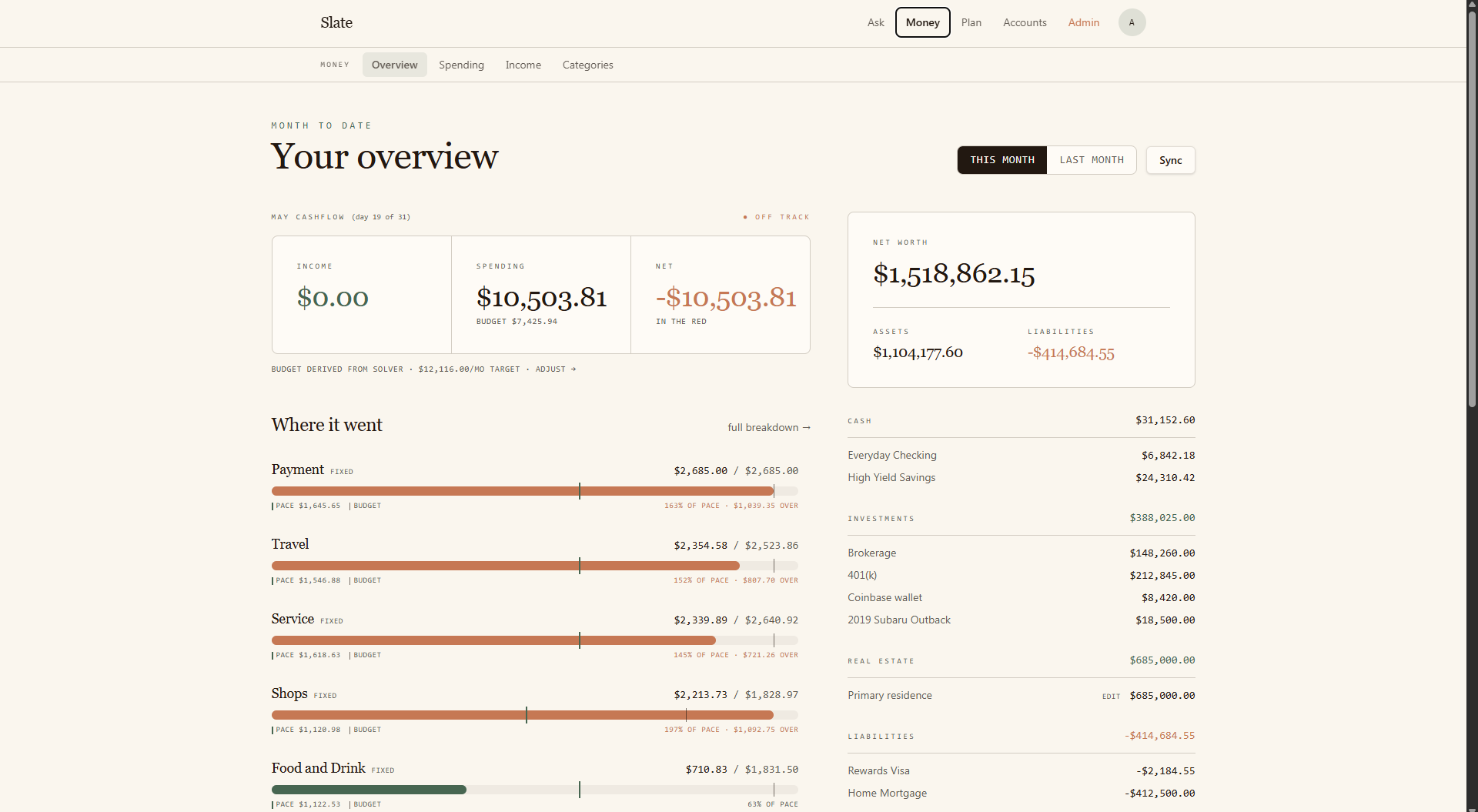
A clearer picture, on autopilot
Finally understand your money — without the spreadsheet.
- Know exactly where your money went, without categorizing a single transaction yourself.
- Net worth and cashflow update themselves — no exports, no monthly ritual.
- Plan retirement, a sabbatical, or a big purchase without rebuilding a spreadsheet.
How it stays accurate · Bank-grade Plaid connection, read-only.
An assistant that finally knows your money
Your AI gets the whole picture — and the answers stop being generic.
Most advice from Claude or ChatGPT is generic because they can’t see your money. Slate hands them your real numbers — securely and only when you ask — so the answers are about you, not about the average person.
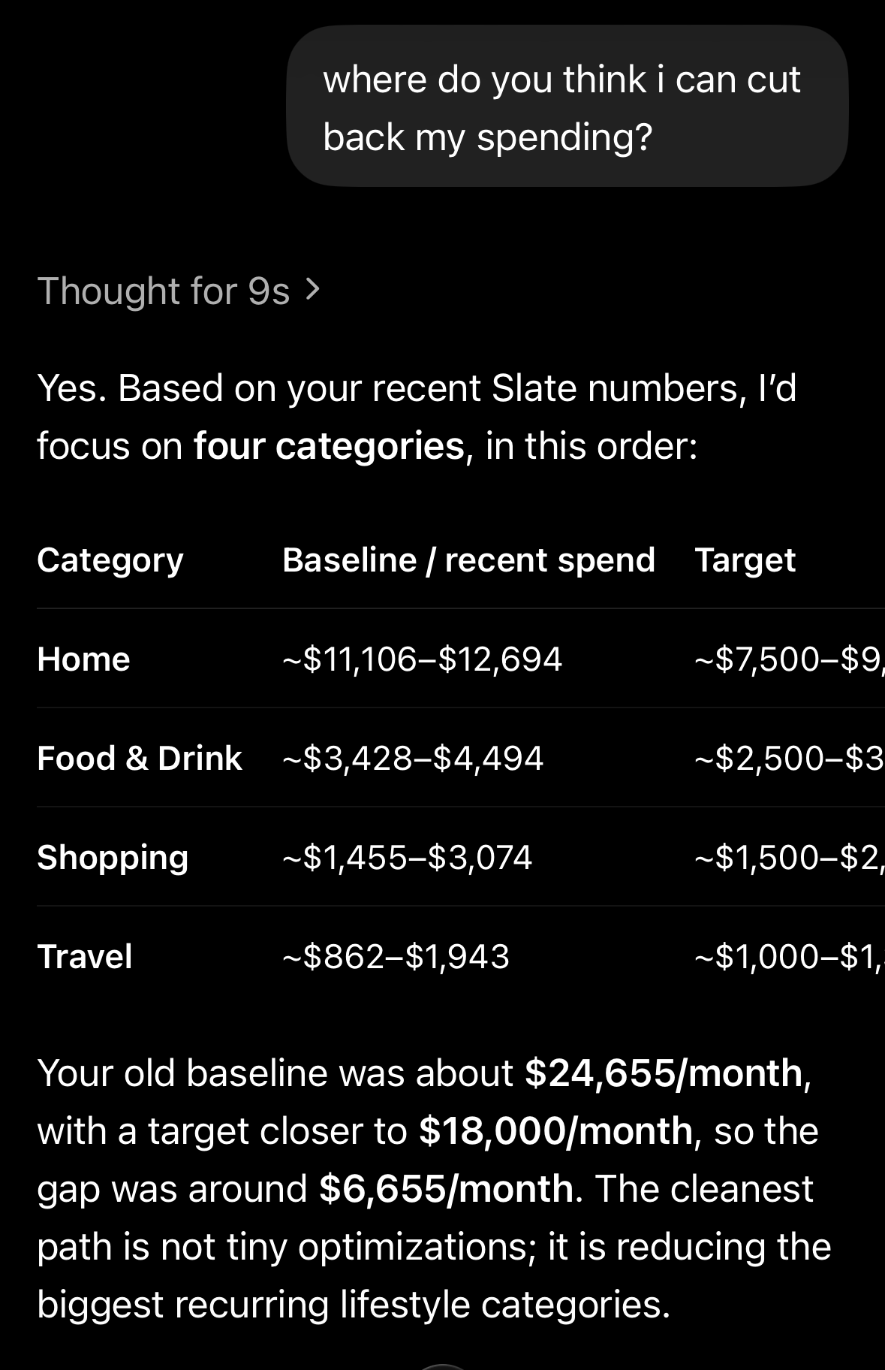
ChatGPT · iOS
“Where can I cut back?”
Ranked by your real impact — not a generic list of latte tips.
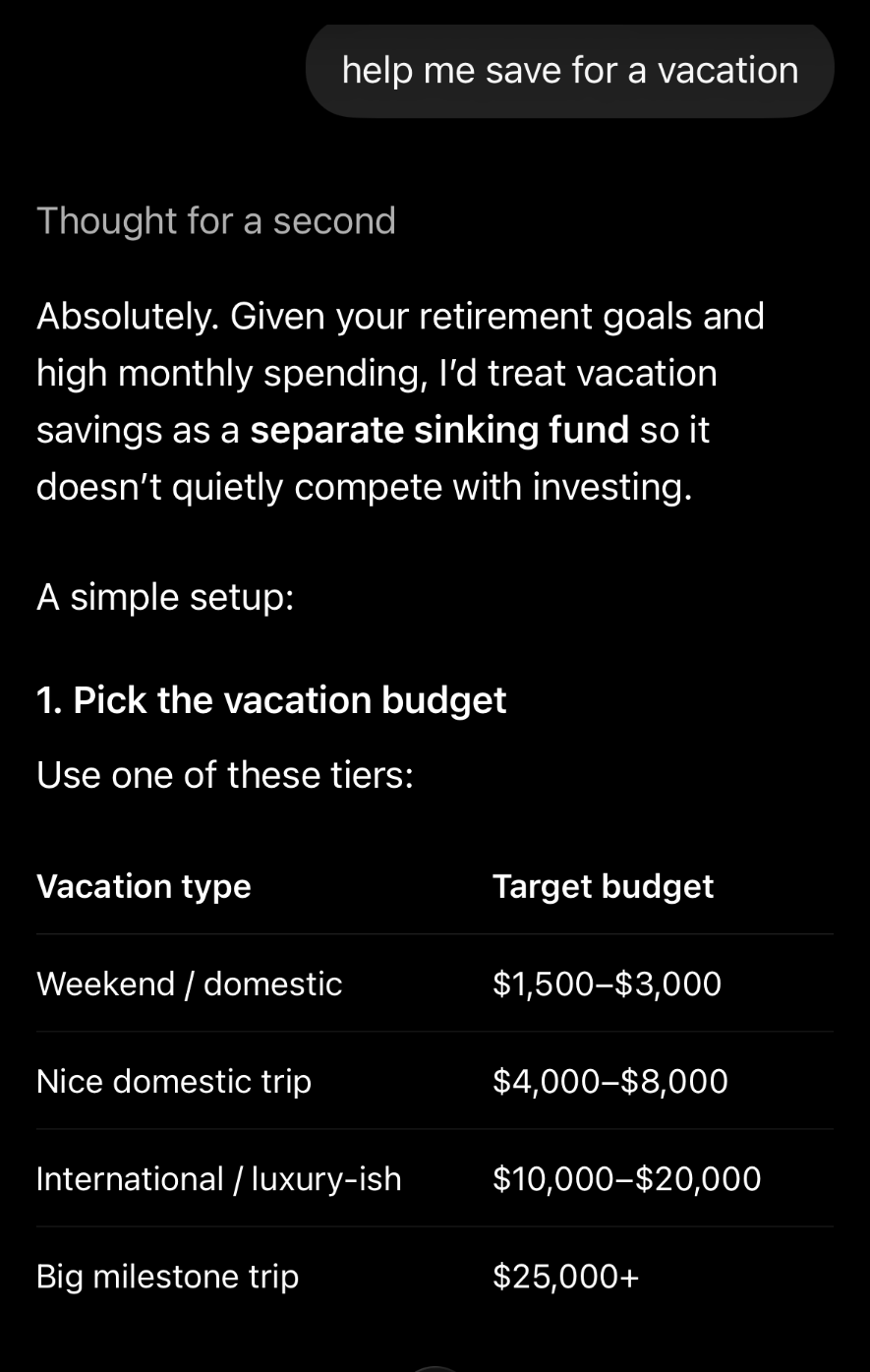
ChatGPT · iOS
“Help me save for a vacation.”
Treated as a sinking fund inside your real plan, not a vague nudge.
Works in the Claude or ChatGPT you already pay for.
How it connects · One-tap from Settings → Integrations. MCP docs →
Connect
Link your accounts in under a minute via Plaid. Read-only, always.
Slate keeps your picture current
Cashflow, net worth, and budgets stay accurate in the background.
Ask anything
Turn on Claude or ChatGPT in one tap and talk to your money like a friend.
Security & privacy, by design
Connected to your bank. Never exposed to anyone else.
Slate is built so you stay in control of what’s seen, when, and by whom. We never sell your data, never train AI models on it, and never share it without your explicit action.
Read-only via Plaid
Your bank login never touches Slate. Plaid handles the connection with bank-grade security, and we only ever have read access.
Your AI only sees what you allow
Claude or ChatGPT only reach Slate when you ask them to — scoped to the question, and one-tap off in Settings → Integrations.
Encrypted & isolated
Data is encrypted in transit and at rest. Row-level isolation means no other Slate user — or assistant — can ever see your numbers.
Do I need Claude or ChatGPT to use Slate?
No. Slate works as a standalone app — spending, planning, scenarios, the Solver. The AI assistants are a bonus, not a requirement.
Is my bank login safe?
We never see your bank credentials. Plaid handles the connection with bank-grade security, and Slate only ever has read-only access.
What can my AI assistant actually see?
Only what you allow, only when you ask. You can turn the connection off in one click from Settings → Integrations.
Can I cancel anytime?
Yes. Cancel from Settings → Billing — no calls, no forms, no retention tricks.